
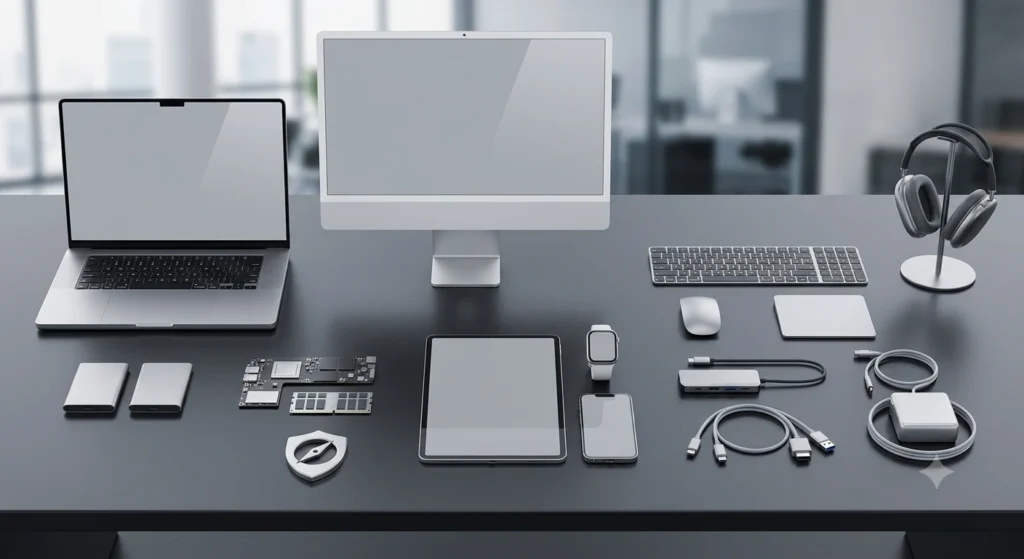
Thinking about renting a Mac? Smart move. Whether you’re a creative pro editing 4K videos, a developer testing iOS builds, or a business looking to upgrade your team’s tech game without committing to a purchase, Mac rentals offer flexibility without the financial drama.
But before you dive headfirst into the Apple ecosystem, pause. Because renting a Mac without a checklist is like baking a cake without checking if you even have an oven. That’s where this guide comes in – your ultimate Mac rental checklist.
1. Know Your Purpose
As you all know, not every Mac is built for every task. The sleek look might be the same, but what’s under the hood makes all the difference. A graphic designer working with high-resolution files, a video editor cutting 4K footage, or a music producer layering complex audio tracks will need a Mac that can keep up.
On the flip side, if you’re just managing spreadsheets, hopping between browser tabs, or streaming only, your needs are totally different. Choosing the right Mac rental begins with identifying how you plan to use it. If portability is key, a lightweight MacBook Air might be the perfect fit. But if you’re working on performance-heavy tasks, you’ll want a MacBook Pro with some serious M-series firepower.
2. Look For Required Specifications
Here’s what your Mac rental checklist should include regarding specs:
Processor
The Apple M1 and M2 chips are absolute game-changers because they’re fast, energy-efficient, and optimized for macOS. You’ll notice quicker boot times, seamless multitasking, and long battery life. Intel-based Macs are okay for certain legacy apps, but double-check that they support your software or not.
RAM
8GB RAM will get you by if you’re sticking to emails, documents, and the occasional binge session. But if you’re running Final Cut Pro, Adobe Creative Suite, or juggling 20 tabs and apps at once, you’ll want 16GB or more because more RAM means smoother multitasking.
Storage
Instead of hard drives, go for SSD (Solid State Drive) because it is way faster, more reliable, and essential for a fluid experience. 256GB SSD might work for casual use, but if you’re dealing with video files, large design projects, or virtual machines, go for 512GB or 1TB. And sure, cloud storage is nice, but it’s not always available offline or fast enough for big media work.
Graphics Card (GPU)
If you’re into video editing, 3D rendering, animation, or any kind of creative wizardry, your Mac needs a solid graphics processor. The M1 and M2 chips come with powerful integrated GPUs that handle most tasks with ease. For heavier lifts, older models with dedicated GPUs like Radeon still hold their ground.
3. macOS: The Version Game
Macs may look like identical silver slabs but what truly defines their performance is the version of macOS they’re running. The operating system isn’t just a backdrop; it’s the stage where all your apps, tools, and creative brilliance perform. If your work demands the latest macOS Sonoma, make sure the rental Mac actually supports it.
For enterprise users, it’s not just about having the newest features; it’s about compatibility with internal protocols. You’ll want a Mac that works seamlessly with your company’s MDM (Mobile Device Management) tools and security frameworks. A mismatched macOS means hours of frustration, mysterious errors, and maybe one dramatic toss of your rental Mac (resist the urge). So before you sign that rental agreement, double-check the macOS version, because it could be the hidden make-or-break detail in your workflow.
4. Compatibility with Your Workflow Tools
Compatibility isn’t just a box to tick, it’s the foundation of a smooth, productive experience. So before you dive into a Mac rental, make sure your go-to tools are macOS compatible. That includes everything from creative suites and productivity apps to industry-specific software.
If you’re in a corporate setup, check whether your essential platforms, Microsoft Teams, Office 365, Zoom, Slack, or any other daily-driver apps, work just as fluidly on macOS. Developers, your checklist is even more precise: tools like Docker, Homebrew, VS Code, and Rosetta 2 should be supported and ideally, pre-installed to save setup time. And if you’re making the switch from Windows, prepare for a learning curve. Some apps behave differently or may not exist in a Mac-friendly version.
5. Ports, Dongles & Accessories
Here’s what your Mac rental checklist should include when it comes to connectivity:
USB-C vs. USB-A
Most of Apple’s newer MacBooks, especially those with M1 or M2 chips, have done away with traditional USB-A ports in favor of USB-C/Thunderbolt. While these ports are faster and more versatile, they’re not always compatible with your existing accessories, like USB flash drives, keyboards, or older hubs. So, if your setup includes any USB-A devices, make sure to pack a reliable adapter or dongle.
HDMI
Planning to connect your Mac to a projector or a TV for a presentation? Don’t assume there’s an HDMI port built-in. Many Macs have phased it out in favor of sleeker, slimmer designs. So, unless you’re using one of the few models that still include HDMI (like some Pro variants), you’ll either need a USB-C to HDMI adapter or a docking station. So, it’s better to check before the rental agreement.
SD Card Reader
If you’re a photographer, filmmaker, or content creator, this tiny slot is a big deal. Some MacBook Pro models still include an SD card reader, but many do not. Without it, transferring footage becomes an annoying extra step involving another adapter. So if you’re dealing with media-heavy workflows, make sure your rental has it built-in or request an external reader.
External Display Support
Some M1 MacBooks only support one external monitor natively, no matter how many ports they have. DisplayLink adapters or docks can help you connect multiple displays. Just be sure to clarify this with your rental provider, so you don’t end up staring at one screen when your productivity needs three.
Chargers
Always double-check that your rental Mac comes with the correct charger. A missing or incompatible charger can bring your productivity to a screeching halt faster than you can say “low battery.” Whether it’s a USB-C power adapter for a MacBook Pro or a MagSafe charger for newer models, don’t assume; instead, ask.
Keyboard & Mouse
If you’re renting a Mac Mini or an iMac, remember that these don’t come with input devices by default in many rental setups. You’ll need a keyboard and mouse (or trackpad) to actually use them. Some providers offer them as part of the bundle, others might treat them as optional add-ons. Either way, it’s worth clarifying upfront.
Protective Sleeves or Cases
Whether you’re hopping between coworking spaces or jetting off to client meetings, a protective sleeve or case is a must. Not only does it keep your device safe from bumps, spills, and backpack chaos, but it also saves you from potential damage charges when you return the unit.
6. Check Physical Condition & Battery Health
Physical condition matters. Before accepting any rental unit, give it a good once-over. Look for scratches, dents, screen discoloration, or any signs of wear. While a few minor scuffs are normal, anything more might affect usability, or worse, get blamed on you when it’s time to return it.
If you’re renting a MacBook, don’t forget to ask about the battery cycle count. Also, make sure the keyboard, trackpad, speakers, and webcam are all in proper working order. Lastly, test out the AirDrop, Wi-Fi, and Bluetooth, because even the smartest Mac becomes frustrating if it can’t connect to anything.
7. Security & Privacy Features
Whether you’re guarding sensitive client data, confidential startup code, or anything else i your folders, security should never be an afterthought when renting a Mac. So, as part of your Mac rental checklist, make sure the machine is clean and has security & privacy features.
Check if FileVault is enabled because this built-in encryption tool locks down your entire disk. Next, ensure you can log in using a secure password setup, and if you’re lucky, even Touch ID. Confirm that the previous user’s data has been completely wiped. Also, check for any firmware locks still active as these can prevent booting or reinstalling macOS. And don’t forget to ask if Find My Mac has been deactivated. If it hasn’t, the device may be iCloud-locked.
8. Rental Duration, Flexibility & Support
Think beyond the shiny specs and dive into the real-world logistics, because even the best machine won’t help if the service around it falls flat. For starters, can you extend your rental period if your project runs longer than expected?
Also, find out if tech support is available during the rental. Ask what happens if the Mac malfunctions mid-project. Is there a swap-out policy, or are you left playing IT technician while your deadline looms? And what if your project suddenly scales? Can you upgrade to a more powerful model mid-way, or are you stuck with what you picked on day one? Because a solid rental plan is just as important as a solid machine.
9. Cost Breakdown
Macs might be premium machines, but that doesn’t mean your rental has to come with a premium headache. Whether you’re renting for a day, a month, or somewhere in between, it pays to be strategic with your budget. Daily, weekly, and monthly rates can vary significantly, but longer durations usually come with affordable deals.
Also, ask if your provider offers customized rental plans based on the specs you actually need. Why pay for 32GB RAM and 1TB SSD if your work doesn’t require that much firepower? And don’t forget to ask whether the price includes accessories, delivery, pickup, or insurance? These little extras can sneak up and tip your budget over.
Computer Junction: Your Trusted Partner for Hassle-Free Mac Rentals
Computer Junction, one of India’s most trusted names in tech rentals. With over two decades of experience, we’ve made it our mission to make tech simple, accessible, and budget-friendly for startups, enterprises, and independent creators alike.
Here’s why renting from Computer Junction is the smarter way to Mac:
Wide Range of Models
Whether you’re a startup founder on the go or a creative professional handling heavy video edits, we’ve got the perfect match. Choose from ultra-slim MacBook Airs for portability, MacBook Pros for performance-heavy tasks, and Mac Minis for workstation setups. Each machine is available in multiple configurations, RAM, storage, screen sizes, you name it. We don’t push what’s expensive, we recommend what fits.
Fresh & Tested Devices
Forget used, dusty machines with outdated software. Every Mac from our inventory goes through stringent quality checks, OS updates, and a full hardware diagnostic to ensure it’s running at peak performance. Battery health, keyboard response, display calibration, everything is tested. You’ll get a device that’s clean, reliable, and feels just like new, minus the retail price tag.
Plug-and-Play Setup
No time to set up your Mac from scratch? We’ve got you covered. Whether it’s Final Cut Pro for editors, Xcode for developers, or Microsoft 365 for your office team, we install what you need in advance. We also configure settings like user accounts, VPNs, or shared drives. When your Mac arrives, it’s literally plug-and-play.
Flexible Plans
We offer custom rental durations that adapt to your project, be it a 3-day event, a 1-month trial, or a 1-year deployment. And with transparent pricing (no hidden fees or last-minute charges), you always know what you’re paying for. Need to swap, upgrade, or extend mid-way? It’s seamless and hassle-free.
Pan-India Delivery
From corporate hubs like Delhi and Bengaluru to smaller cities, we deliver everywhere. Our logistics team ensures your Mac arrives securely packed and on time, no matter your PIN code. Whether you’re managing a remote team or hosting a multi-city training session, our nationwide delivery network keeps you covered.
24×7 Technical Support
Tech issues always strike at the worst time. That’s why our dedicated support team is available 24×7, even on weekends and holidays. Whether it’s troubleshooting an app, resolving a hardware glitch, or arranging a quick replacement, we act fast. One call or message, and our experts jump into action.
Conclusion
You now have a complete Mac rental checklist that covers everything from specs and OS to accessories and support. Renting the right Mac is not just about picking a shiny machine; it’s about understanding your needs and matching them with the right tech. And when in doubt, remember, you don’t have to figure it out alone. Computer Junction has your back (and your Mac).


