
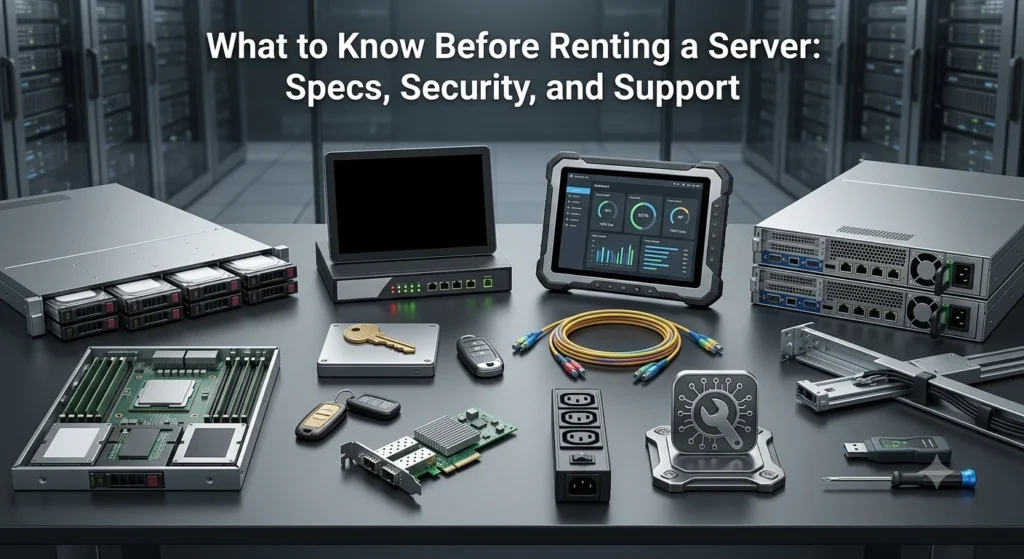
Renting a server can be a smart move when you need reliable IT infrastructure without the high upfront costs of buying hardware. But before you sign any contract, it’s important to understand the key factors that affect performance, security, and long-term value. This server rental guide will walk you through the essentials, i.e., what specs to look for, how to ensure your data stays safe, and why good support matters more than you think.
Whether you’re scaling your startup, managing high-traffic applications, or simply tired of hearing your office server fan noise, this server rental guide has your back. Plus, we’ll show you how Computer Junction makes your rental journey smoother.
Why Businesses Are Renting Servers in 2025
Before we geek out on specs and numbers, let’s ask the obvious: Why rent a server instead of buying in the first place?
The answer’s simple – flexibility, cost-efficiency, and speed. Renting servers is a smart move for startups without a doubt. Server rentals allow businesses to scale up or down without the upfront capital costs or the burden of long-term maintenance. Whether you’re launching a new app, running a temporary campaign, or expanding into new regions, a dedicated server rental gives you the horsepower you need.
What You Should Look Before Renting Servers
Now, here is the complete checklist before you proceed to rent servers. Read till the end to find out all the necessary details.
1. Processor (CPU)
The processor is the heart of your server. It handles all the calculations, commands, and tasks your server needs to perform. A multi-core processor allows the server to handle several tasks at once, which means faster response times and smoother performance, especially when multiple users or applications are working at the same time.
If you’re just running basic websites or small apps, an entry-level processor may be enough. But for anything more demanding, like managing large databases, running virtual machines, or hosting enterprise software, you’ll need something stronger.
In such cases, look for high-performance processors like Intel Xeon or AMD EPYC. These are built to handle heavy workloads and are commonly used in business and data center environments. The general rule is: the more users or complex tasks your server needs to manage, the more cores your processor should have. More cores mean the server can split up the work and handle everything more efficiently, helping you avoid slowdowns or crashes during peak usage.
2. Memory (RAM)
When it comes to servers, RAM (memory) plays a big role in how smoothly everything runs. Just because your laptop works fine with 8GB or 16GB doesn’t mean a server will. Servers often handle multiple users and heavy-duty applications at once, so they need more memory to keep up.
If you’re planning to host a website, run CRM software, or manage internal tools, it’s smart to start with at least 32GB of RAM. This gives your server enough room to work efficiently without slowing down. If your server is being used for more advanced tasks like virtualization, handling databases, or machine learning, you’ll need even more.
3. Storage: SSD vs. HDD
When choosing storage for your server, it’s all about finding the right balance between speed and capacity. There are two main options: SSDs (Solid State Drives) and HDDs (Hard Disk Drives). SSDs are much faster, more durable, and use less power, which makes them ideal for tasks where quick access to data matters, like running websites, apps, or databases. On the flip side, HDDs are more affordable and can store a lot more data, but they’re slower and more prone to wear and tear over time.
Use SSDs for high-performance tasks, anything where speed and reliability are critical. Use HDDs for backups, archiving, or storing files you don’t need to access often. If your server provider also offers a RAID configuration, that’s an added bonus. It helps protect your data and keeps everything running even if one drive fails.
4. Bandwidth and Data Transfer
Bandwidth is one of those things that sounds simple but can have a big impact on your server’s performance, especially if you’re running high-traffic websites, apps, or data-heavy projects. Many providers advertise “unlimited bandwidth,” but that doesn’t always mean what it sounds like. In reality, some may slow down your speed after you hit a certain usage limit. That’s why it’s important to always read the fine print and understand what’s actually included in your plan.
If your server will be used for video streaming, large file transfers, or serving users in multiple countries, look for a provider that offers high-speed uplinks, low latency, and reliable global connectivity. These features help ensure that your content loads quickly, even under heavy demand. Choosing the right bandwidth plan from the start can save you from frustrating slowdowns and unexpected limits later on.
5. Operating System and Compatibility
When renting a server, you’ll need to decide which operating system (OS) best suits your needs. Most servers run on either Linux or Windows Server. If your applications are built using open-source technologies, or if you prefer something lightweight and customizable, Linux distributions like Ubuntu, CentOS, or Debian are great choices, and they’re often free to use. On the other hand, if your setup requires Microsoft applications, .NET framework, or Active Directory, then Windows Server will be a better fit.
Keep in mind that licensing costs can vary. Some rental providers include the OS license in their pricing, while others may charge extra, especially for Windows-based servers. Always confirm this before signing up. And if you’re wondering about using MacOS on a server, the short answer is, you can’t, unless you’re working in a very specific Apple-approved setup.
Security Considerations
Your rented server might not live in your office, but your data security responsibilities haven’t taken a vacation. In fact, with cyberattacks on the rise, security is the dealbreaker in any server rental guide.
1. Data Encryption
Ensure your provider supports full-disk encryption, SSL certificates, and VPN access. Your data should be safe both at rest and in transit.
2. DDoS Protection
If your site gets popular (go you!), don’t let it get crushed by a Distributed Denial-of-Service attack. Look for built-in DDoS protection or the option to integrate one.
3. Firewall and Monitoring
A solid firewall, intrusion detection, and real-time monitoring are non-negotiables. Ask your provider about their security protocols and whether they offer 24/7 network surveillance.
Why Computer Junction Is Your Best Server Rental Partner
Now that you’re nearly a server rental guide pro, let’s talk about a company that’s already got your checklist covered: Computer Junction (CJPL).
Wide Range of Rental Servers
From entry-level machines to enterprise-grade beasts, CJPL offers customizable server rentals tailored to your exact requirements. Want to host a lightweight app? We’ve got you. Need a powerhouse to handle 100K+ users? Still got you.
Data Security You Can Trust
With certified data centers, regular security audits, and real-time monitoring, CJPL ensures your data is as safe as Fort Knox. Whether it’s encryption, DDoS protection, or firewall support, we build safety into every layer.
24x7x365 Support That Doesn’t Sleep
Forget being stuck on hold. CJPL offers round-the-clock expert support with real humans who understand tech, not just buzzwords. Plus, our SLAs guarantee uptime, response times, and fast hardware replacement.
Flexible Plans with Zero Drama
Whether you’re renting for a week, a month, or a full year, our server rental packages come with transparent pricing, no hidden costs, and easy upgrades.
Eco-Friendly Tech for a Sustainable Future
CJPL supports Green IT. That means energy-efficient servers, refurbished equipment, and a commitment to reducing e-waste, so your rental not only powers your business, it powers a better planet too.
Conclusion: Rent Smart, Scale Fast
Renting a server isn’t just a tech decision, it’s a business strategy. From understanding hardware specs to locking down your data and ensuring support is always a call away, making an informed choice can save you money, time, and a whole lot of frustration.
This server rental guide was designed to help you cut through the jargon and focus on what really matters. And with a trusted partner like Computer Junction, you don’t just rent a server, you gain a tech ally.


